About John Deere: Drive Green
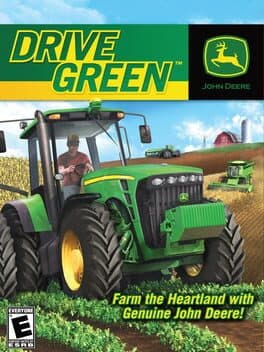
Get behind the wheel of some of the most powerful farm equipment in the world in John Deere Drive Green for the PC. For the first time in the popular John Deere series, Drive Green allows players to experience John Deere equipment in the most realistic way possible - with a fully 3D, 360 degree first-person view of these machines from the inside!
Drive John Deere tractors including the 7800, 8350, 9420T, the 9560 STS Combine with detachable Corn and Bean Heads, and the 4920 Sprayer - all with your choice of first or third-person perspectives. Use state of the art planter and seeding equipment, all with fully functional movement, real engine sounds, and detailed cockpit interiors. Take on Mission Mode, Skill Challenges, or Free Play game types. Try your hand at Multi-Crop years, harvest your field before the storm comes, beat your best time bailing and loading in the Skill Challenges, or simply make the best farm your can in Free Play.
April 8, 2009